SDK Description
Signature Algorithm
- Rules for generating signatures: request parameters are sorted by dictionary, and then spliced into a string in the form of keyvalue string; finally
sign=MD5(sortParam+secretKey).Each merchant has its own appkey and secret - Note: If the value in the request parameter is
NULL, then the string is not counted when splicing Signature string。 - All signature validation is done at the gateway layer, and later service calls will not have signature rules rules。
- For example:
// Input Parameters:
{
    'symbol': 'ltcbtc',
    'appKey': '0816016bb06417f50327e2b557d39aaa',
    'sign': 'a169740d0588141ef70b71cf11ff8bf3',
    'time': '1522055680'
}
// Signature Algorithm:

string = appKey0816016bb06417f50327e2b557d39aaasymbolltcbtctime1522055680

secretKey = xxxxxxxxxxxxxxxxx

sign = MD5(string+secretKey) = MD5(appKey0816016bb06417f50327e2b557d39aaasymbolltcbtctime1522055680xxxxxxxxxxxxxxxxx)

sign = 82d38bae5fc727feea4f7a96c7db0492
Call Example
Overall Access Steps
Step 1: Resolve the domain name first
Step 2: Create application and get appKey/appSecret, configure callback address
Step 3: The user is authorized to register, and obtains the three-party merchant code
Step 4: Get the open platform counter-question token by code
Step 5: Access to open resources:
Preparation - Get appKey and set redirectUrl( callback address )
Open Platform is an OAuth2.0 authorization login system built based on OAuth2.0 protocol standard. Before accessing the open platform, you need to prepare the following access materials through the management background:
- appKey: Used to bind one-to-one with the UID of the merchant who opened the open platform, which is necessary to obtain the login permission of the open platform;
- redirectUrl: The address to be used to jump to after the successful opening of an authorized account on the open platform; this address is filled in according to the actual business needs, if you do not know the business needs, you can fill in the exchange home page by default.;
Login to the administration background: Public Administration—> Open Platform Management—> Application Management
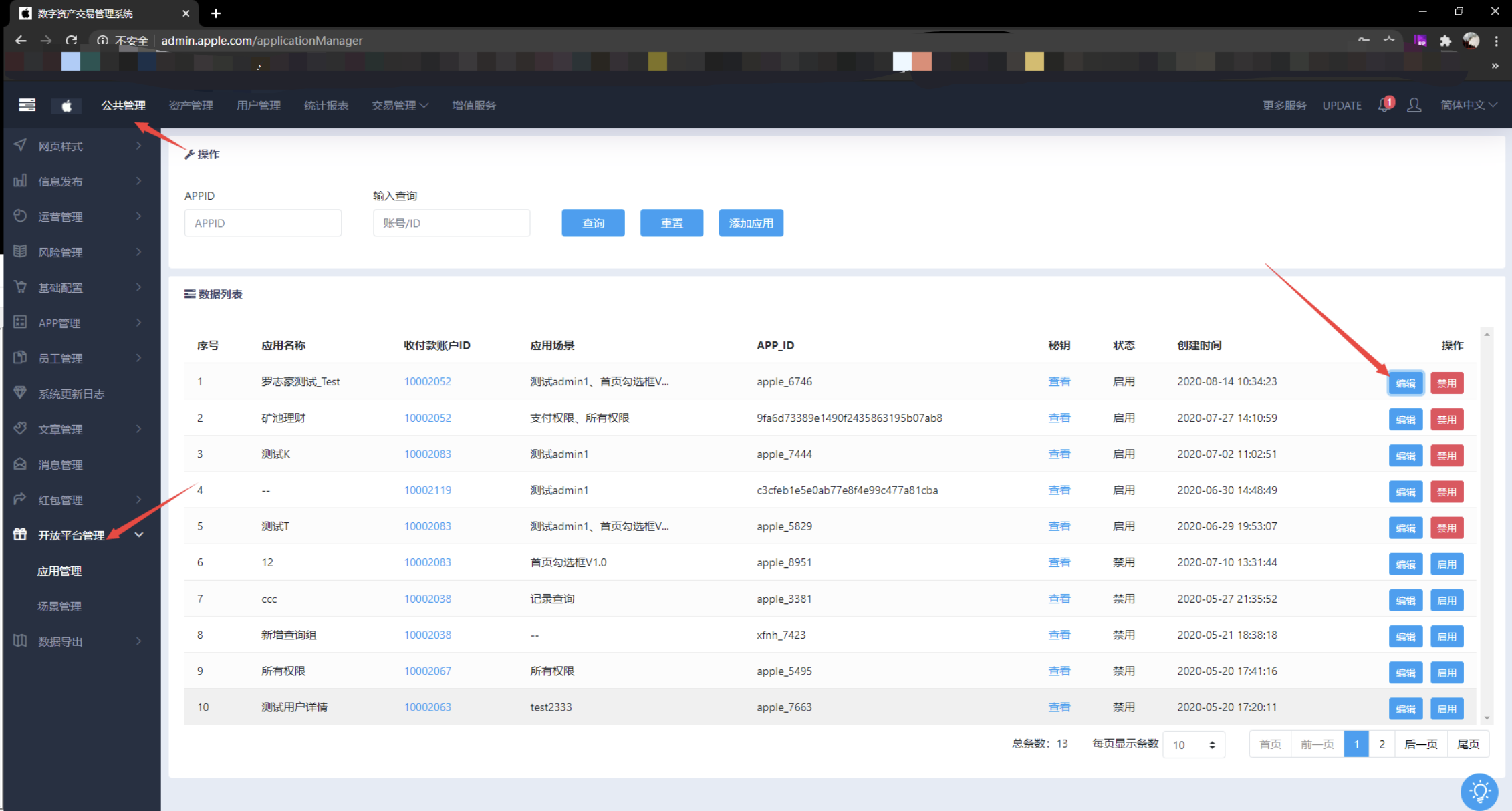
Based on the content in the red box, get the appKey and redirectUrl
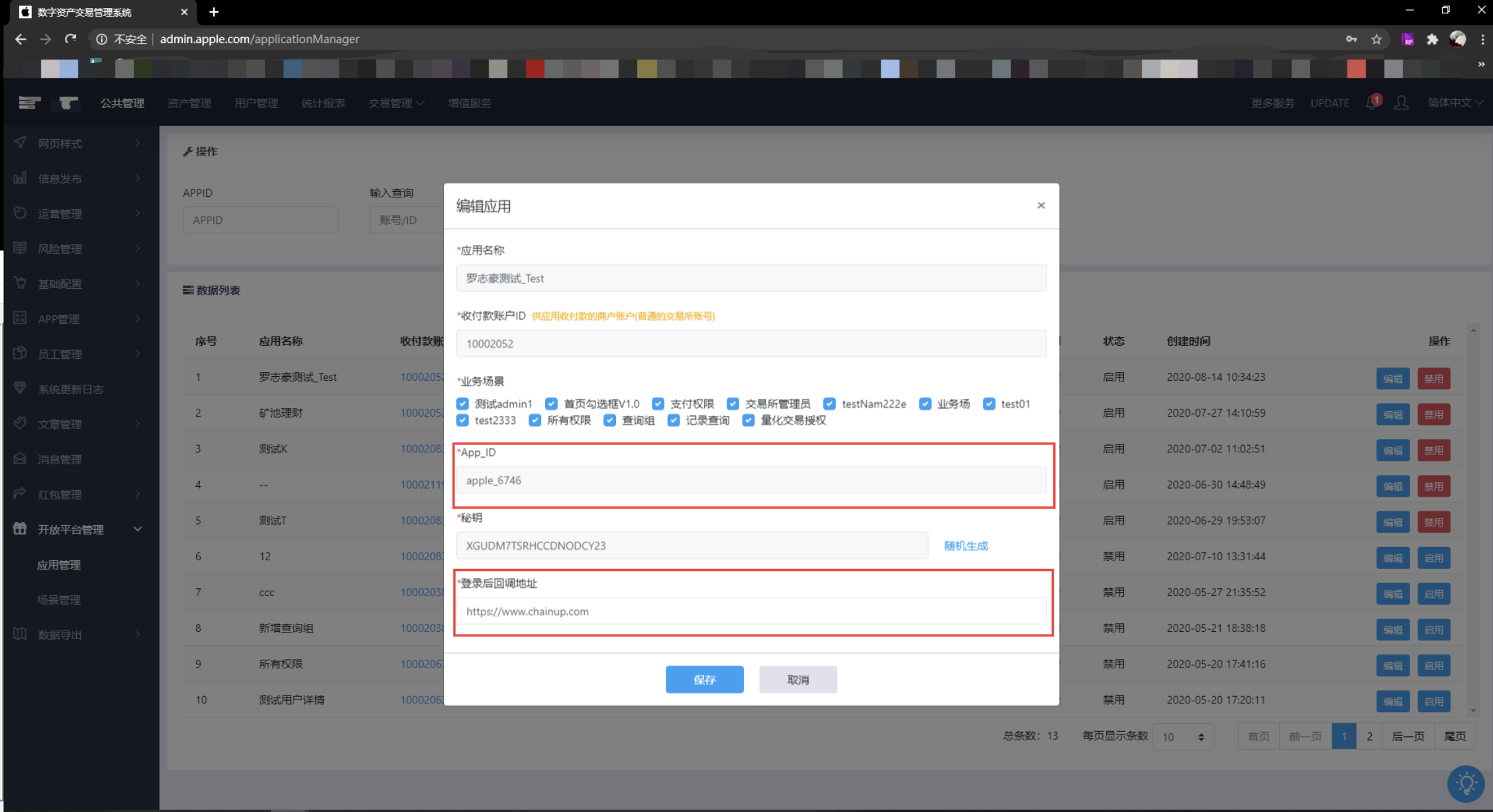
User Registration Authorization - OAuth Authorization Login Page Click Register with the correct appkey and redirectUrl Browser access address: http://service.xxx.com/platform/login.html?appKey=xxx&redirectUrl=https:xxxx
If you are not registered, register first; if you are already a registered user, just click the “Confirm Authorization” button in the previous image
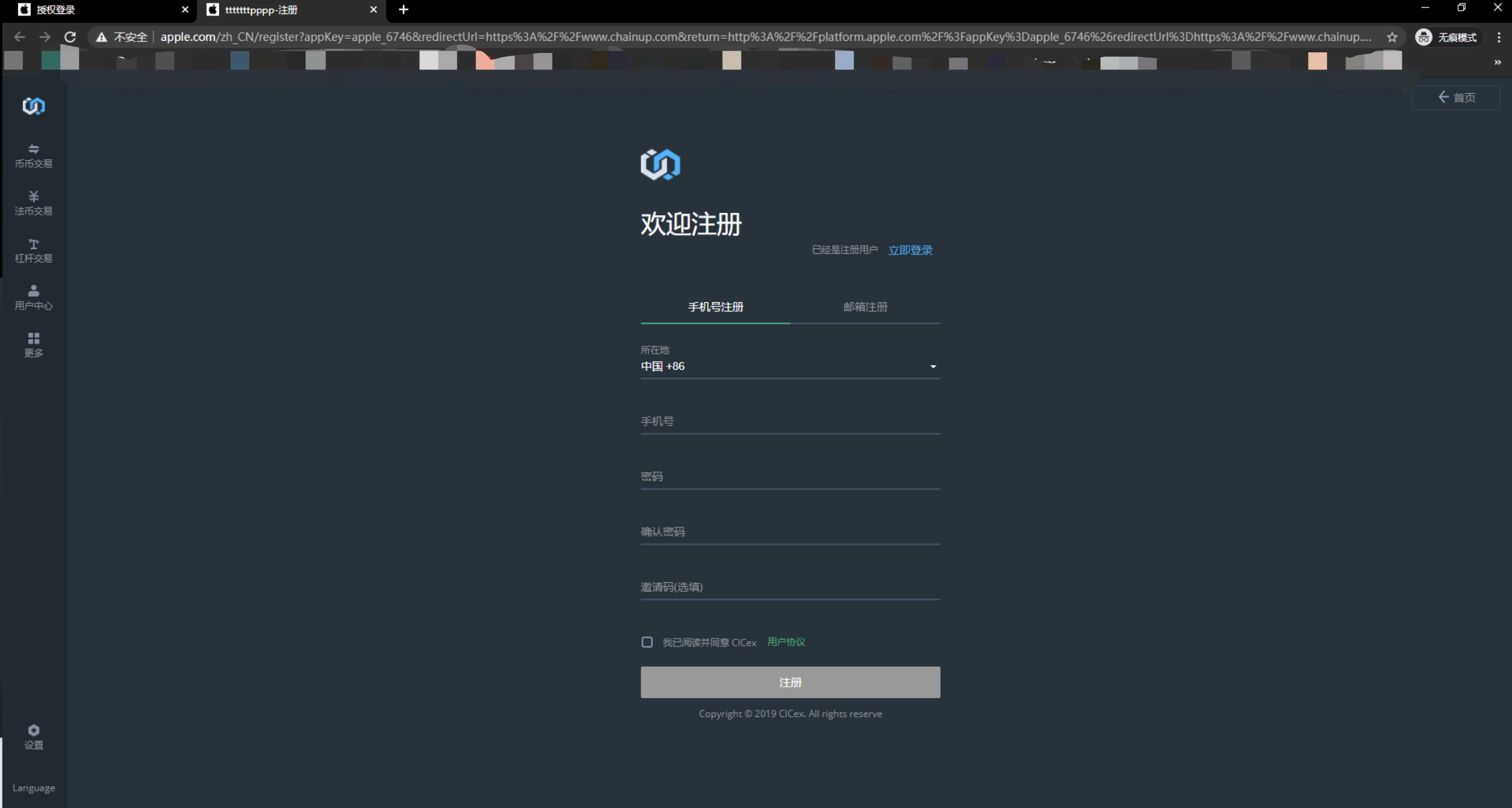
The system will send a verification code for authorization
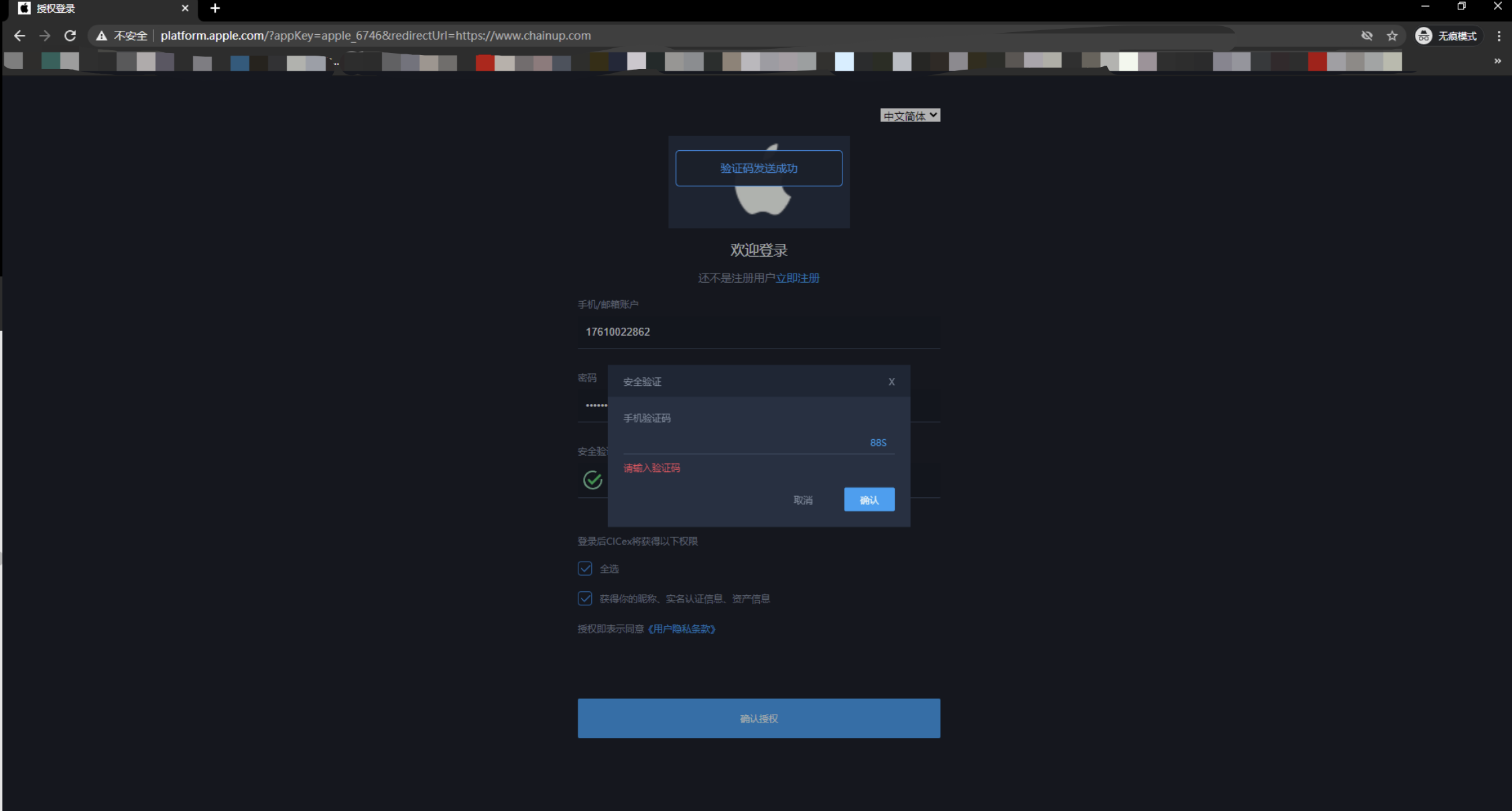
Register (or login) to get the code successfully If you fill in the first step of the registration callback address is the home page of the exchange; then you can see the following image, the arrow is the current Code obtained
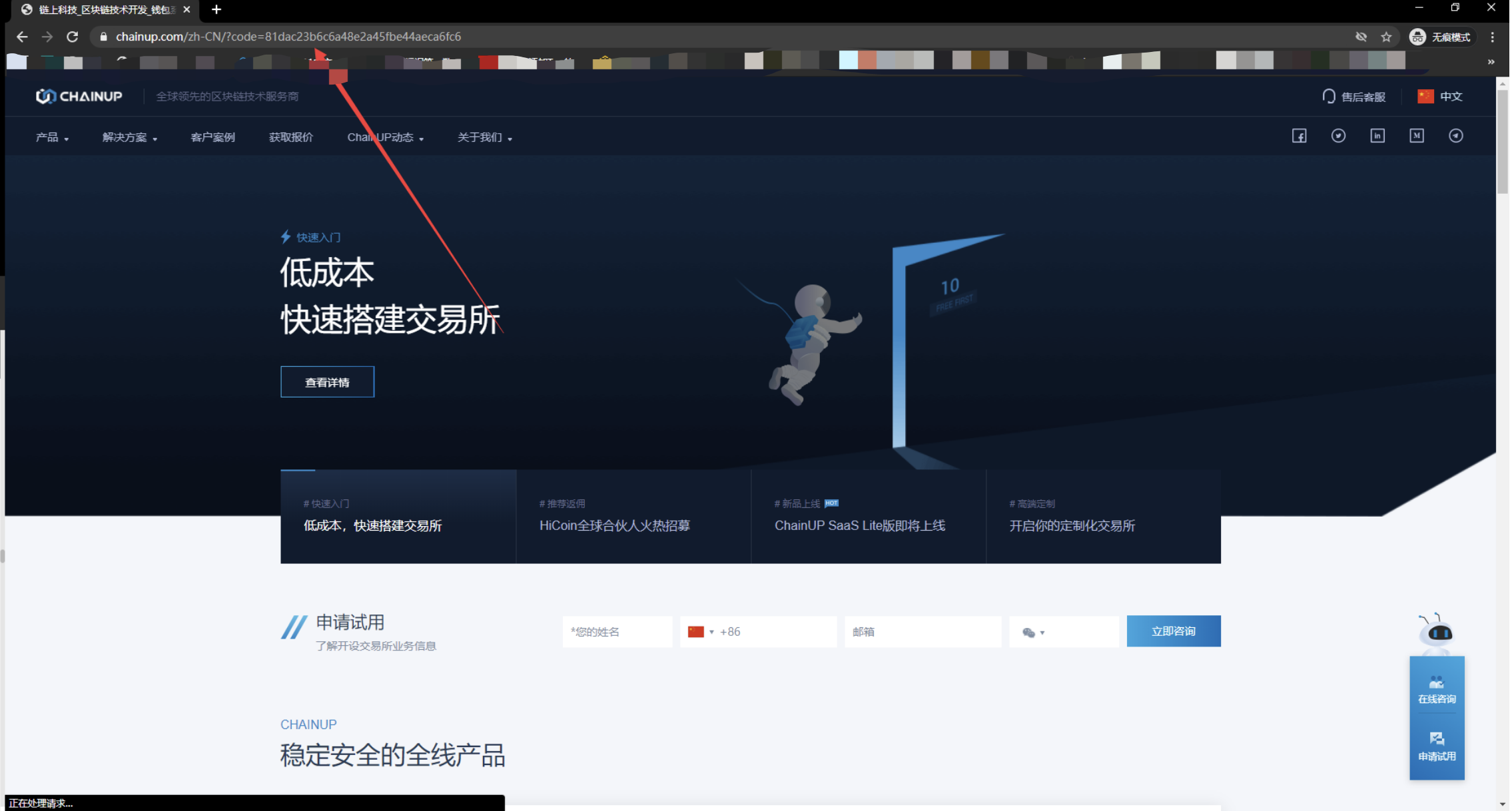
Get token - Get token and openId by code
Generate signature scripts
Signature script configuration method:
Configure the script content in the location shown below in the postman tool
The signature is automatically generated by entering "sign":"{{sign}}" in the request parameters ( refer to the screenshot of the request parameters in the subsequent steps )
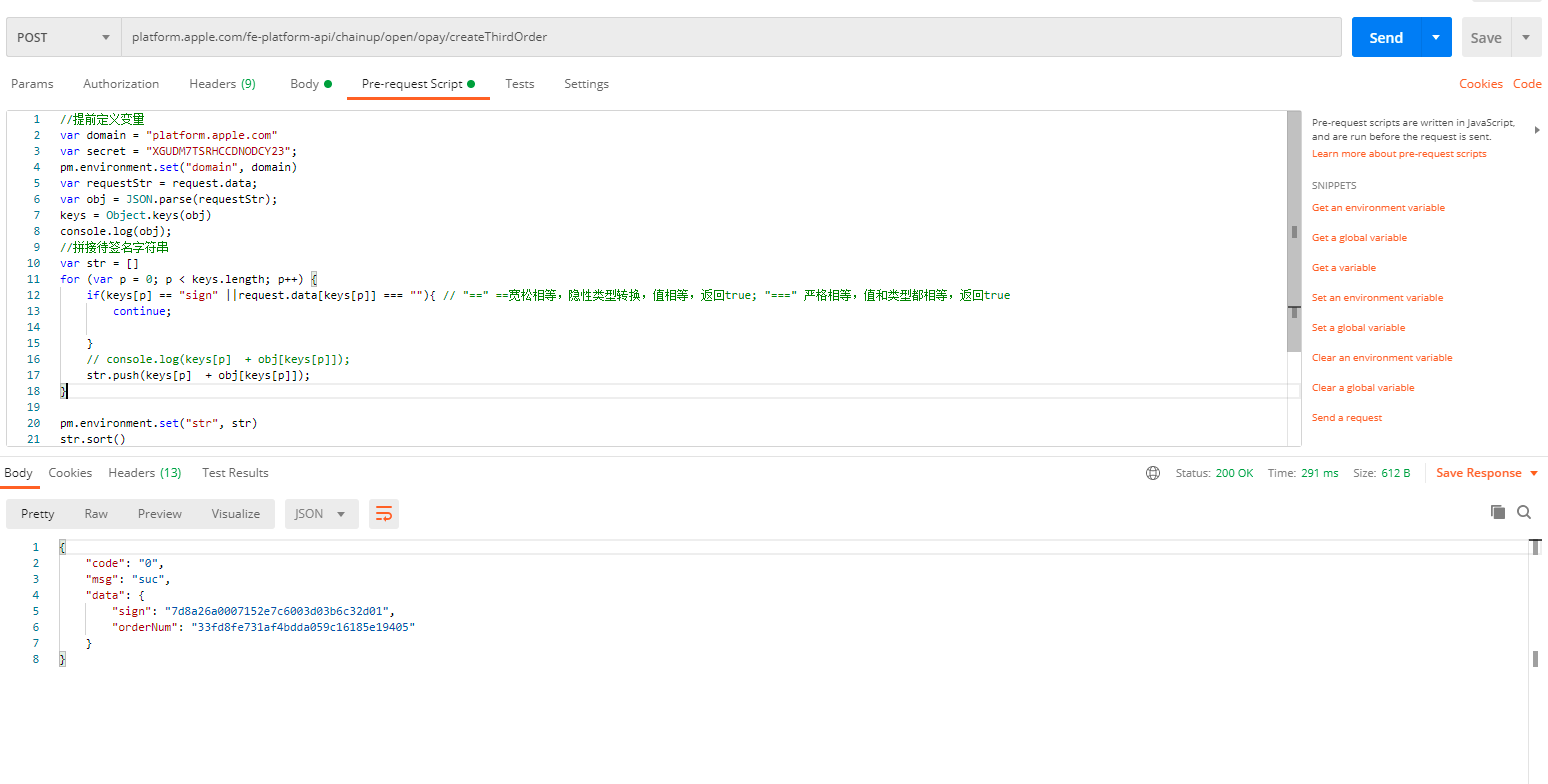
Script content
//提前定义变量
var domain = "service.xxx.com"
var secret = "xxx";
pm.environment.set("domain", domain)
var requestStr = request.data;
var obj = JSON.parse(requestStr);
keys = Object.keys(obj)
console.log(obj);
//拼接待签名字符串
var str = []
for (var p = 0; p < keys.length; p++) {
    if(keys[p] == "sign" ||request.data[keys[p]] === ""){ // "==" ==宽松相等,隐性类型转换,值相等,返回true; "===" 严格相等,值和类型都相等,返回true
        continue;

    }
    // console.log(keys[p]  + obj[keys[p]]);
    str.push(keys[p]  + obj[keys[p]]);
}

pm.environment.set("str", str)
str.sort()
str.push(secret)
var s = str.join("")
console.log("准备签名");
console.log(s);

//MD5加密签名规格,并赋值给环境变量`sign`
var sign =CryptoJS.MD5(CryptoJS.enc.Latin1.parse(s)).toString();
pm.environment.set("sign", sign);
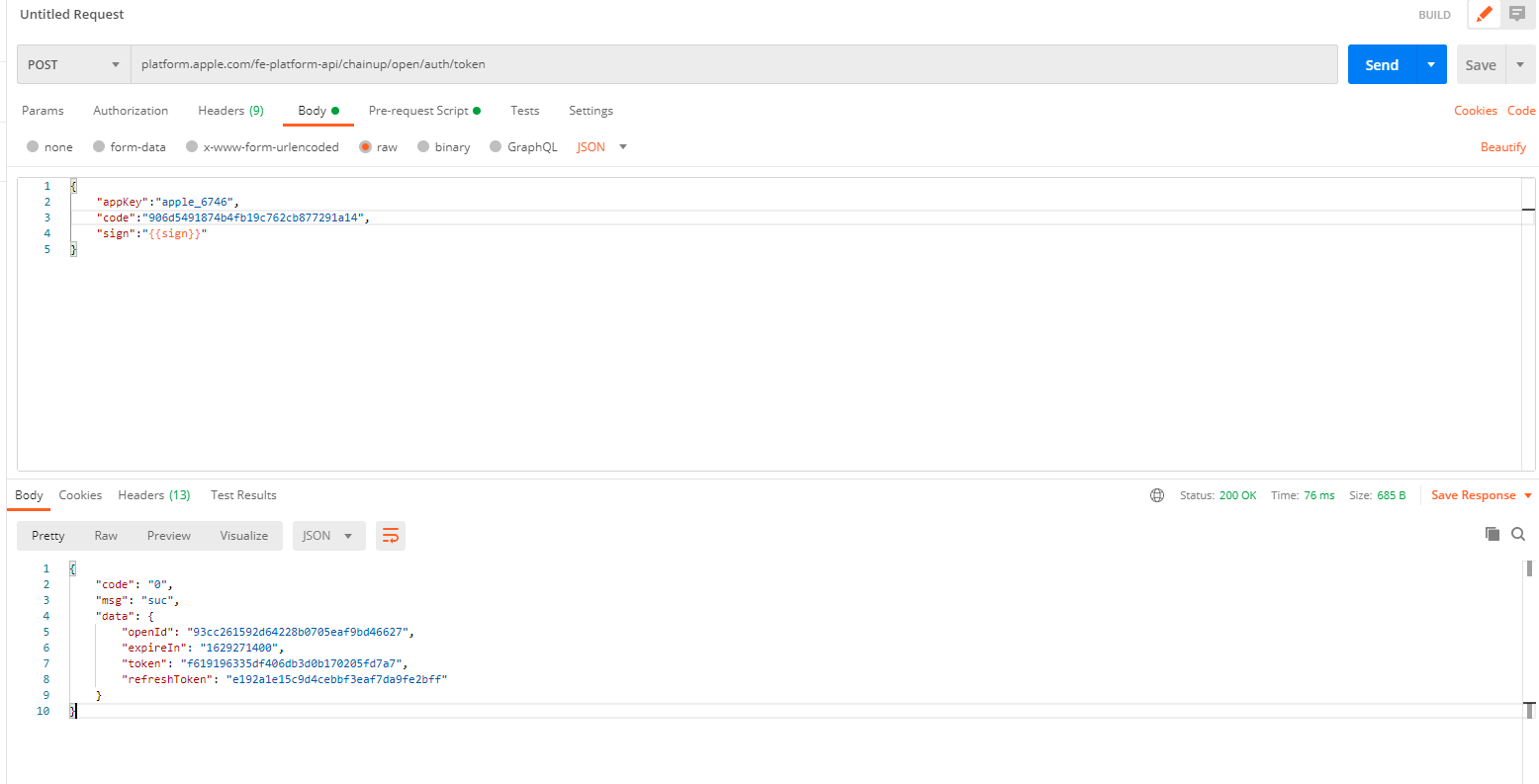
Call the interface for a token or openId
Interface Address: http://servoce.xfnh.com/platformapi/chainup/open/auth/token
POSTMAN Tool call interface diagram:
Access to open platform resources via Token - create order/pay/inquire order
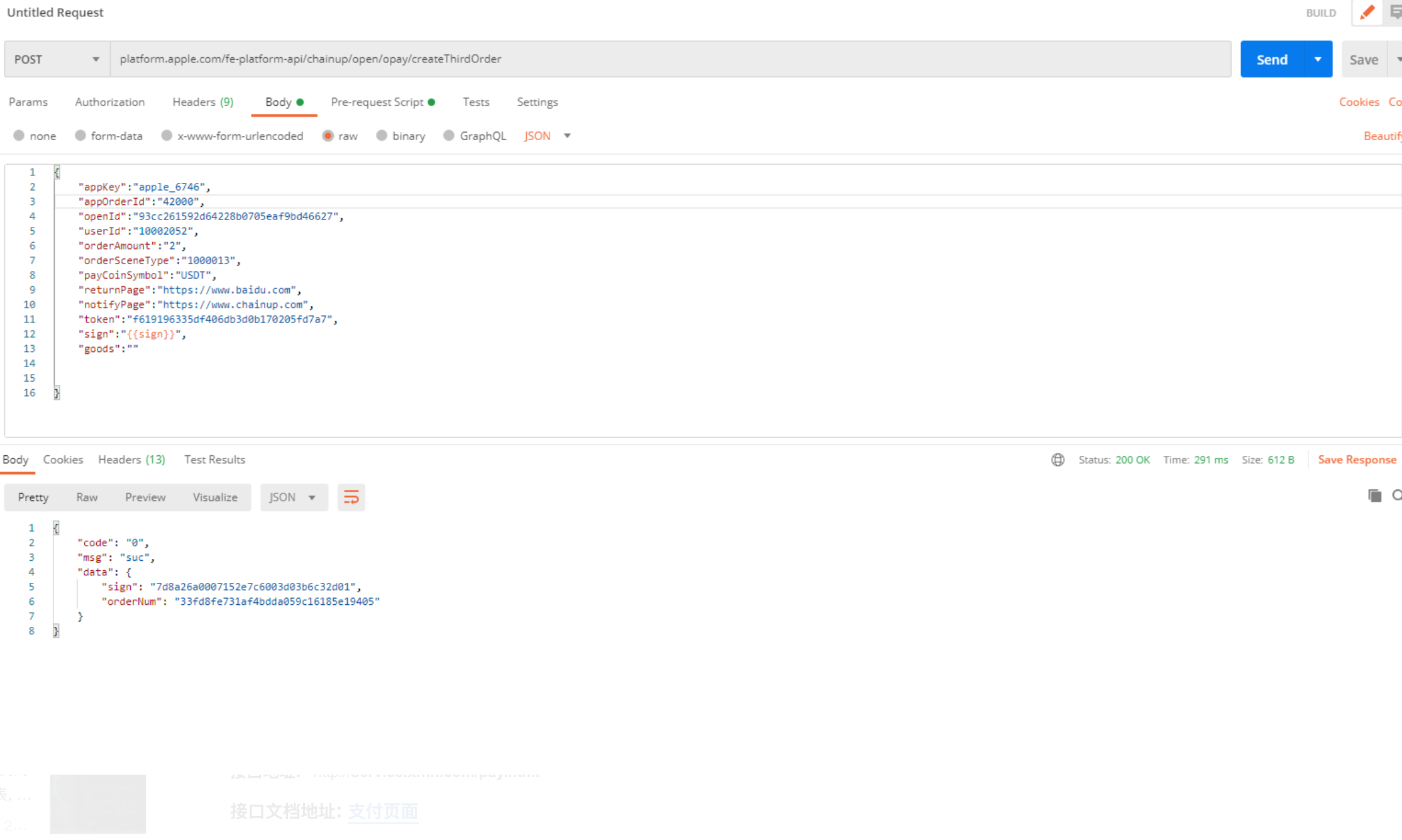
Create a payment order
Interface Address: http://service.xfnh.fnhcom/platformapi/chainup/open/opay/createThirdOrder
POSTMAN Tool call interface diagram:
Payment Page
Interface Address: http://service.xfnh.com/pay.html
Get the request parameters:
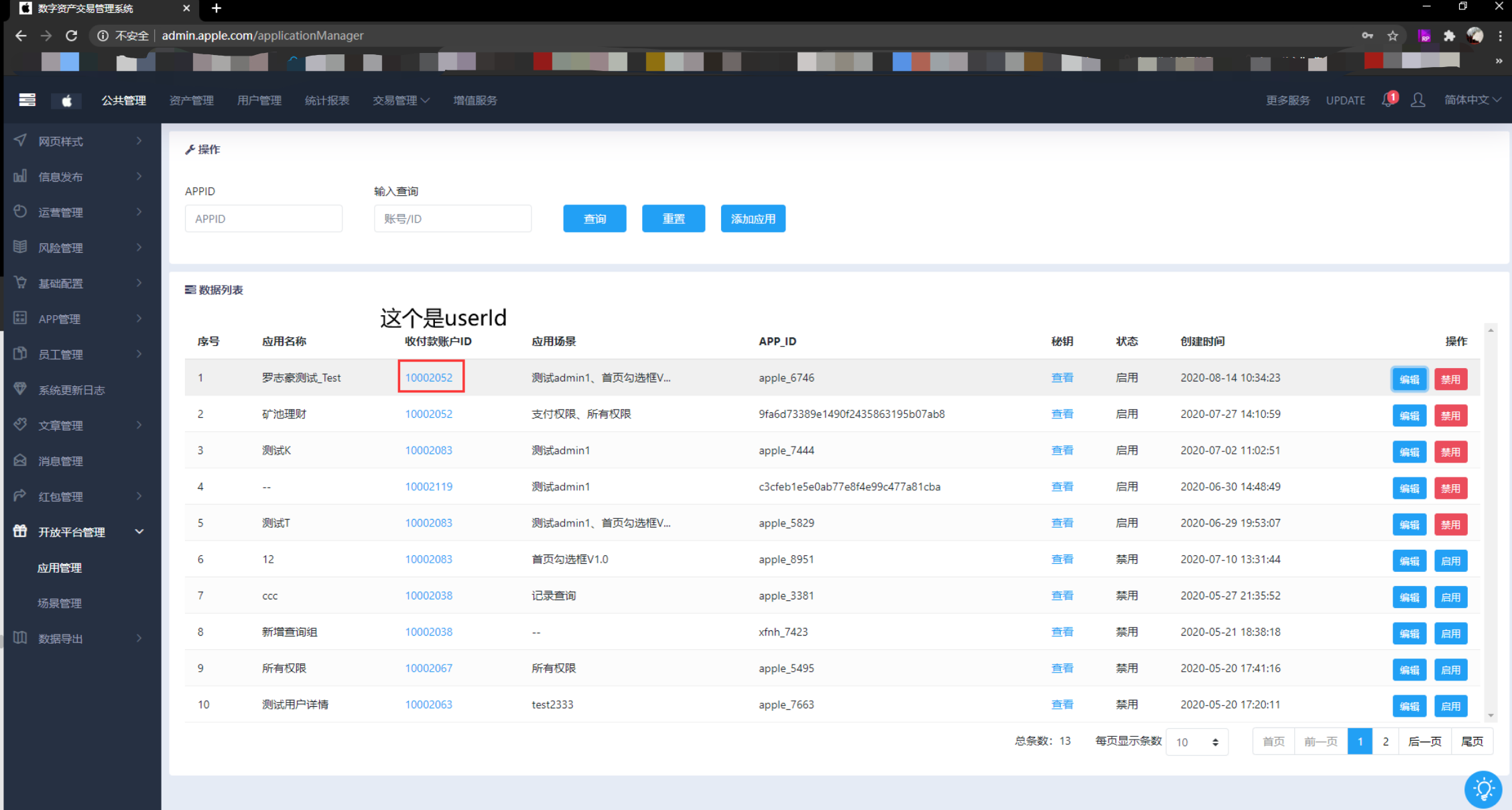
Login to the administration background: Public Administration—> Open Platform Management—> Application Management
Get the userId of the request parameter as shown in the image
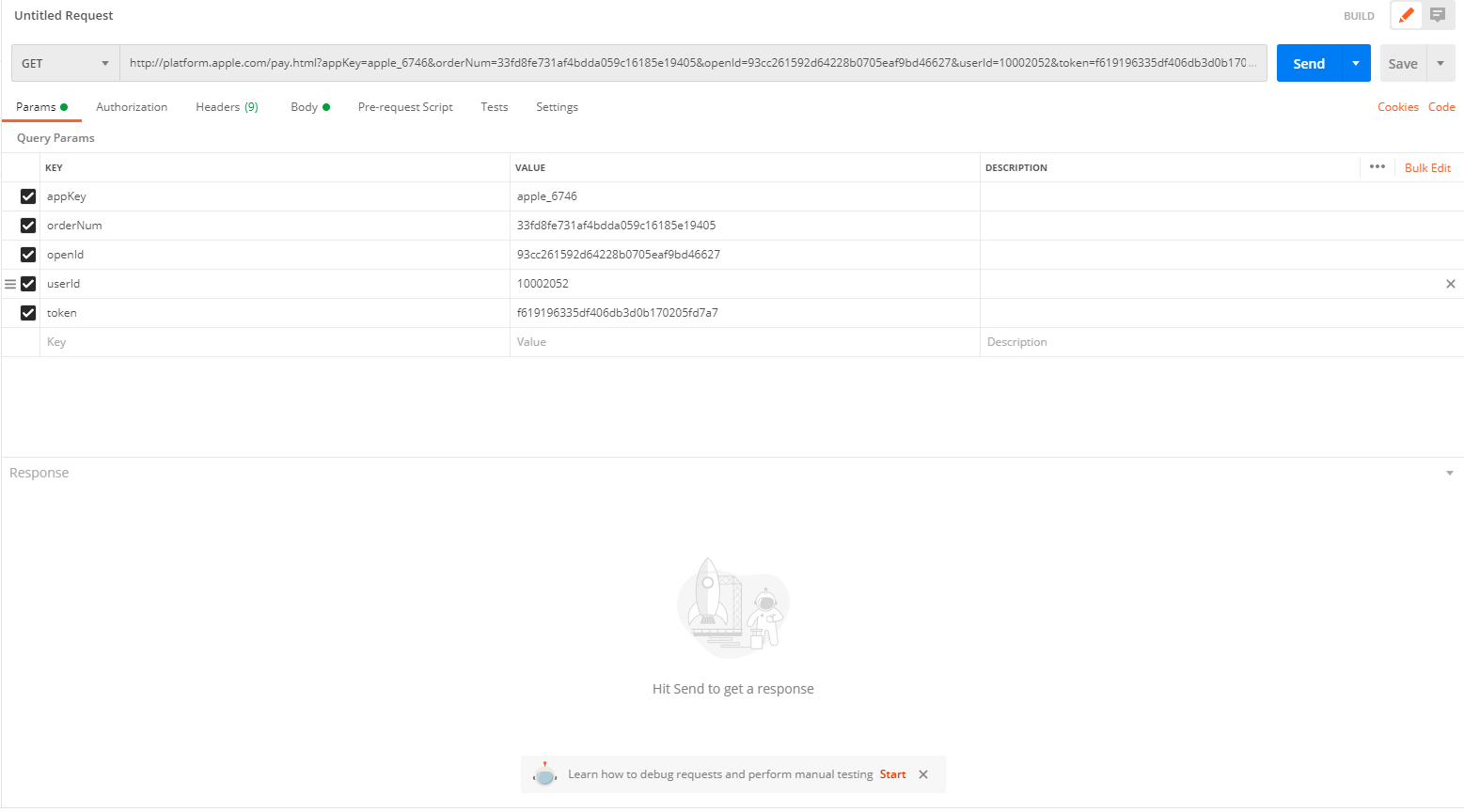
Use POSTMAN tool to get the interface call address
The address of the interface call after assembling the parameters: https://service.xxx.com/pay.html?appKey=xxx&openId=xxx&token=xxx&orderNum=xxx
Engineers who are familiar with GET requests can directly follow the parameters to assemble the address to access
Calling the request payment page:
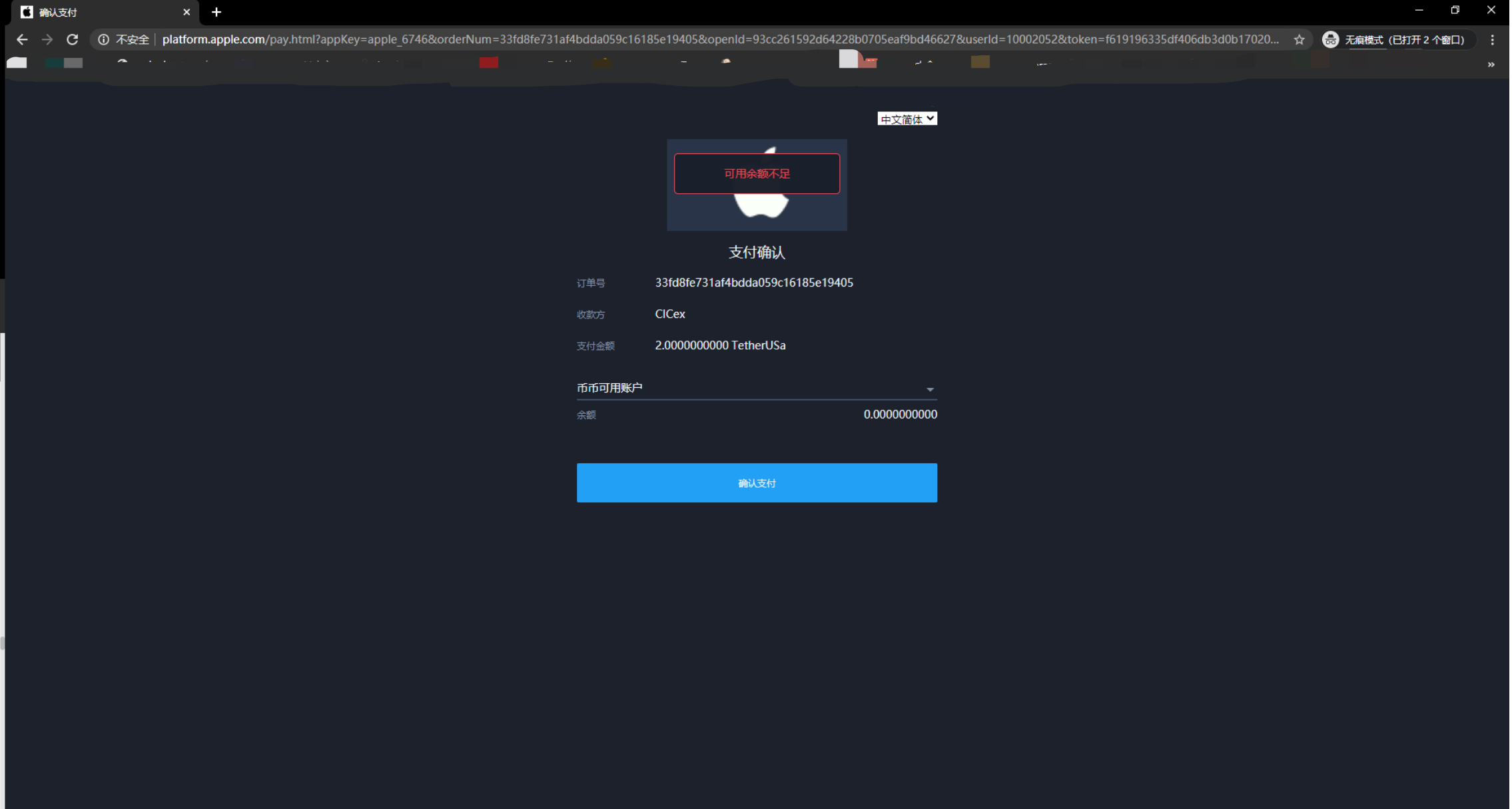
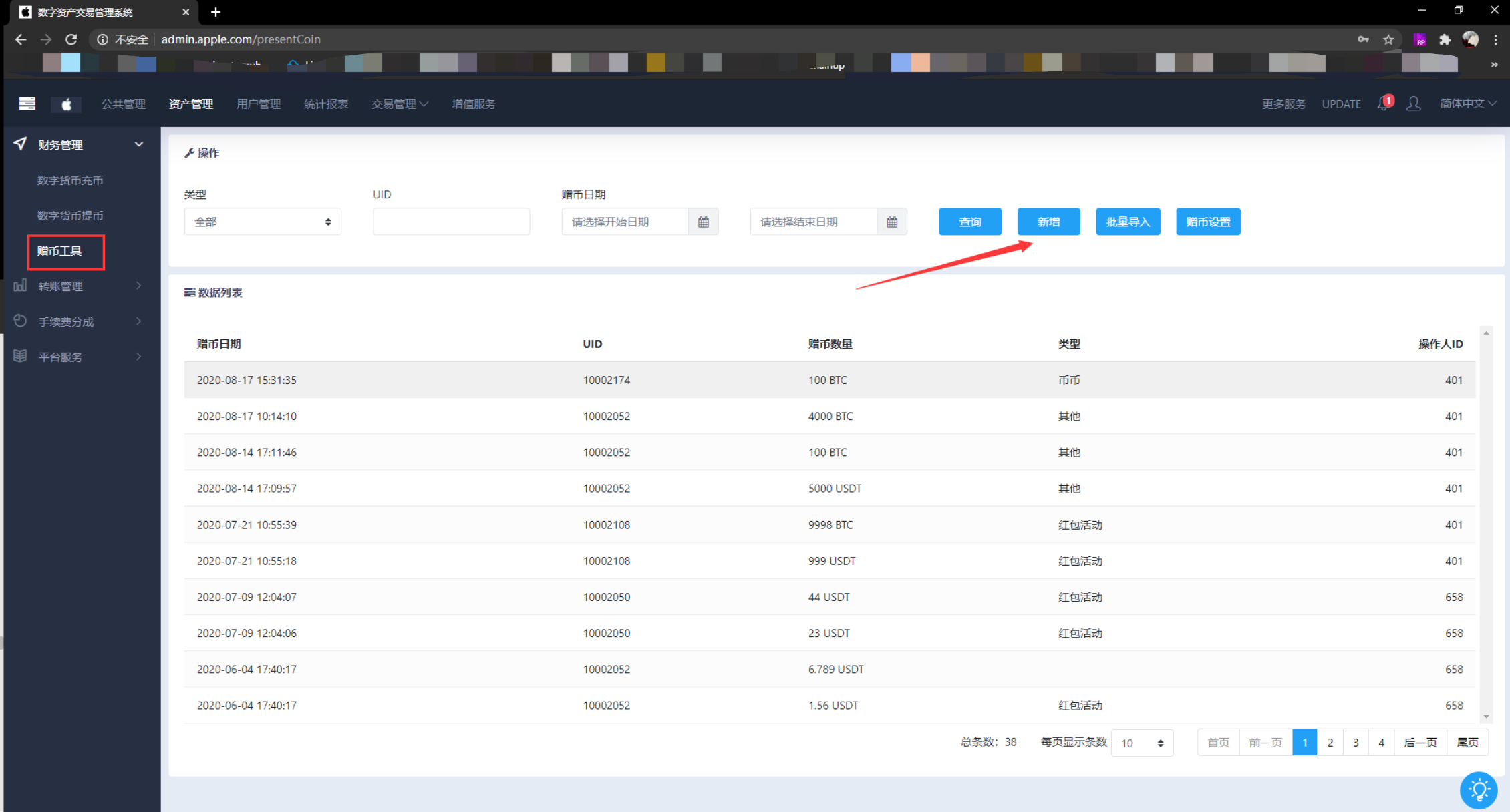
Insufficient balance in the management platform to recharge the coins ( if the balance is sufficient, you can ignore this step )
sset Management — > Financial Management — > Coin Grant Tool
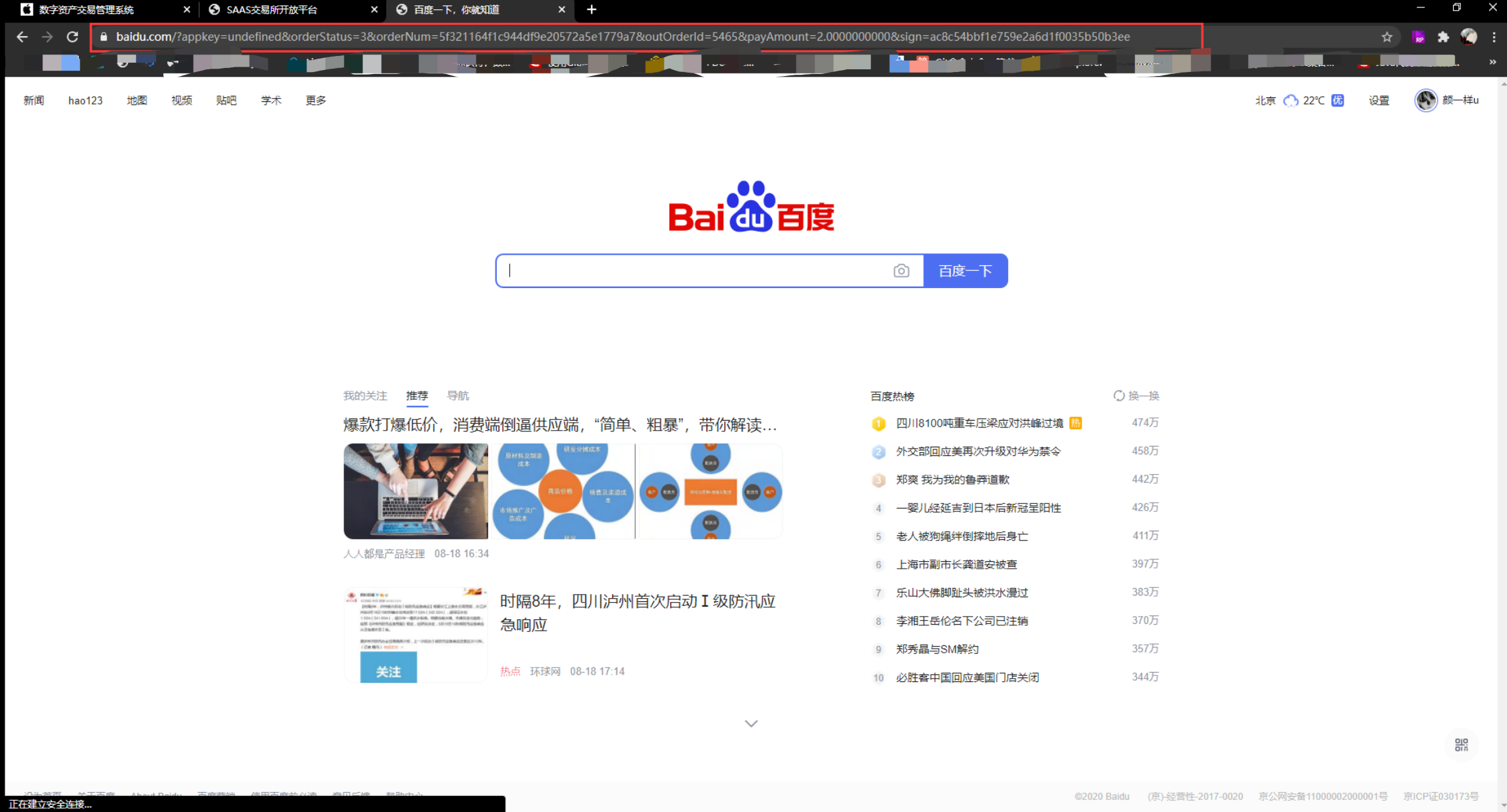
The page that will be redirected after successful payment ( the page is the redirectUrl configured in the first step )
Check Payment Order
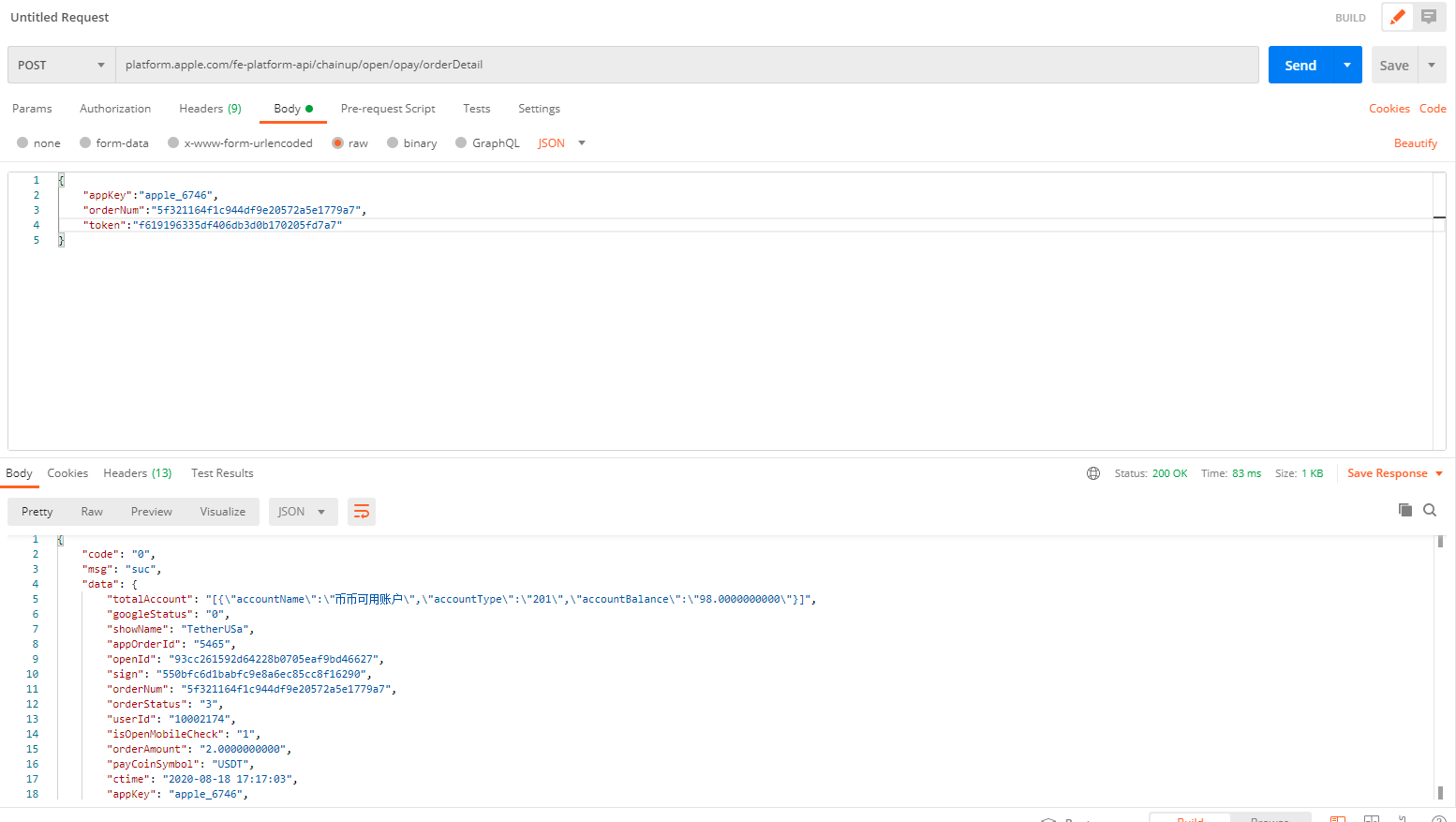
Interface Address:http://service.xfnh.com/platformapi/chainup/open/opay/orderDetail
Use POSTMAN tool to get the interface call address;